
"Phone Number Shared via URL Is Invalid": What It Means and How to Fix It
WhatsApp rejects a click-to-chat link when the number is formatted wrong — not because you haven't saved the contact. Here's what the error actually means and how to build a link that works.
Published August 11, 2026
You were sent a phone number. You built a wa.me link so you could message the
person without adding them to your contacts. WhatsApp answered with:
Phone number shared via url is invalid
The number is almost certainly fine. The link isn't — and the advice you'll find first is usually wrong about why.
What the error actually means
WhatsApp has two separate failure messages here, and telling them apart saves you from fixing the wrong problem:
| What you see | What it means |
|---|---|
| "Phone number shared via url is invalid" | The digits in your link aren't a phone number WhatsApp can parse. A formatting problem. |
| "The phone number isn't on WhatsApp" (or an invite prompt) | Your link was fine. That number just has no WhatsApp account. |
If you're seeing the first message, nothing is wrong with the recipient, their account, or their privacy settings. You have a malformed string.
The most popular fix on the web is a myth. Several of the top results for this error claim WhatsApp is blocking you because the person isn't in your contact list, then walk you through importing a CSV into Google Contacts. WhatsApp's own documentation opens by contradicting this:
WhatsApp's click to chat feature allows you to begin a chat with someone without having their phone number saved in your phone's address book.
Not saving the contact is the entire point of the feature. It is not the cause of your error.
The format WhatsApp actually wants
The documented rule is short:
Use
https://wa.me/<number>where the<number>is a full phone number in international format. Omit any zeroes, brackets, or dashes when adding the phone number in international format.
In practice, that means the part after wa.me/ must be digits and nothing
else — country code first, no punctuation, no spaces, no plus sign.
| Don't | Do |
|---|---|
wa.me/+92 300 1234567 | wa.me/923001234567 |
wa.me/(0300) 123-4567 | wa.me/923001234567 |
wa.me/+62-812-3456-789 | wa.me/628123456789 |
wa.me/0300 1234567 | wa.me/923001234567 |
There's a genuinely confusing wrinkle here, and it's WhatsApp's own doing. The
plus sign is required when you save a number to your phone's address book,
and forbidden in a wa.me link. Both rules are current, both are
documented, and they are opposites. If you're copying a number straight out of
your contacts, the + comes with it and has to go.
The leading zero that breaks everything
This is the single most common cause, and almost nobody explains it.
Most countries print local numbers with a leading 0 — a trunk prefix that
means "I'm dialling within this country." Pakistani numbers are written
0300-1234567. UK numbers 07981 555555. Indonesian 0812-3456-789.
That zero is not part of the international number. When you add the country code, the zero comes off:
0300-1234567      as you received it
+92 300 1234567   international format
923001234567      what the link needs
The mistake is keeping both — 9203001234567, country code and trunk zero.
It looks right. It's one digit too long, and it isn't a real number.
The reverse mistake is just as common: stripping the punctuation but never
adding the country code at all. 3001234567 isn't reachable from outside
Pakistan, and WhatsApp is an international service — every link needs the
country code, even when you and the recipient are in the same city.
On Android you may see a different wording for this specific case, along the lines of "couldn't look up phone number because it's either missing a country code or has the wrong one." Same underlying problem.
Two countries with an extra rule
If you've formatted everything correctly and it still fails, check whether the number is from one of these:
- Mexico (+52) — WhatsApp wants a
1after the country code:+52 1 …. Mexico dropped this digit from its national dialling plan back in 2019, but WhatsApp still uses it, so guides telling you to omit it will leave you with a link that doesn't connect. - Argentina (+54) — mobile numbers need a
9after the country code:+54 9 ….
Both are stated in WhatsApp's FAQ and both are skipped by nearly every article on this error.
When the link is right and it still doesn't work
Worth knowing before you spend an hour re-checking digits: wa.me doesn't
verify anything. Point it at fifteen consecutive nines and it will still load
a page offering to open a chat. The link layer only reformats what you typed for
display — the actual check happens later, inside WhatsApp itself.
So a link that looks like it worked tells you very little. If the number is correctly formatted and you're still stuck, the likely explanations are:
- The number has no WhatsApp account. You should see the "isn't on WhatsApp" message rather than the invalid-number one.
- The number is real but no longer belongs to who you think. Carriers recycle disconnected numbers, and WhatsApp accounts follow the number.
- You've opened a lot of these in quick succession. Firsthand reports describe working links suddenly failing with no change in format, which is consistent with anti-automation throttling. If that's you, slow down — and note that bulk or automated messaging violates WhatsApp's terms.
Skipping the formatting entirely
The formatting rules above are learnable, but they're a strange thing to expect someone to do by hand every time a number arrives in a message, an email signature, or a photo of a shop sign.
A few ways around it:
Save the contact, message, then delete it. Reliable, works everywhere, and needs no tools. The tradeoffs are real though: the number syncs to Google or iCloud before you delete it, and deleting afterwards doesn't undo everything — WhatsApp's documentation is explicit that people you've messaged before can see your last seen and online status regardless of whether they're still saved.
Search the number inside WhatsApp. Recent mobile versions let you paste a
number into the app's search field and start a chat from the result. This works
well when it's there, but WhatsApp doesn't document it, and it doesn't appear on
every version — so treat it as a nice surprise rather than something to rely on,
and keep wa.me as your fallback.
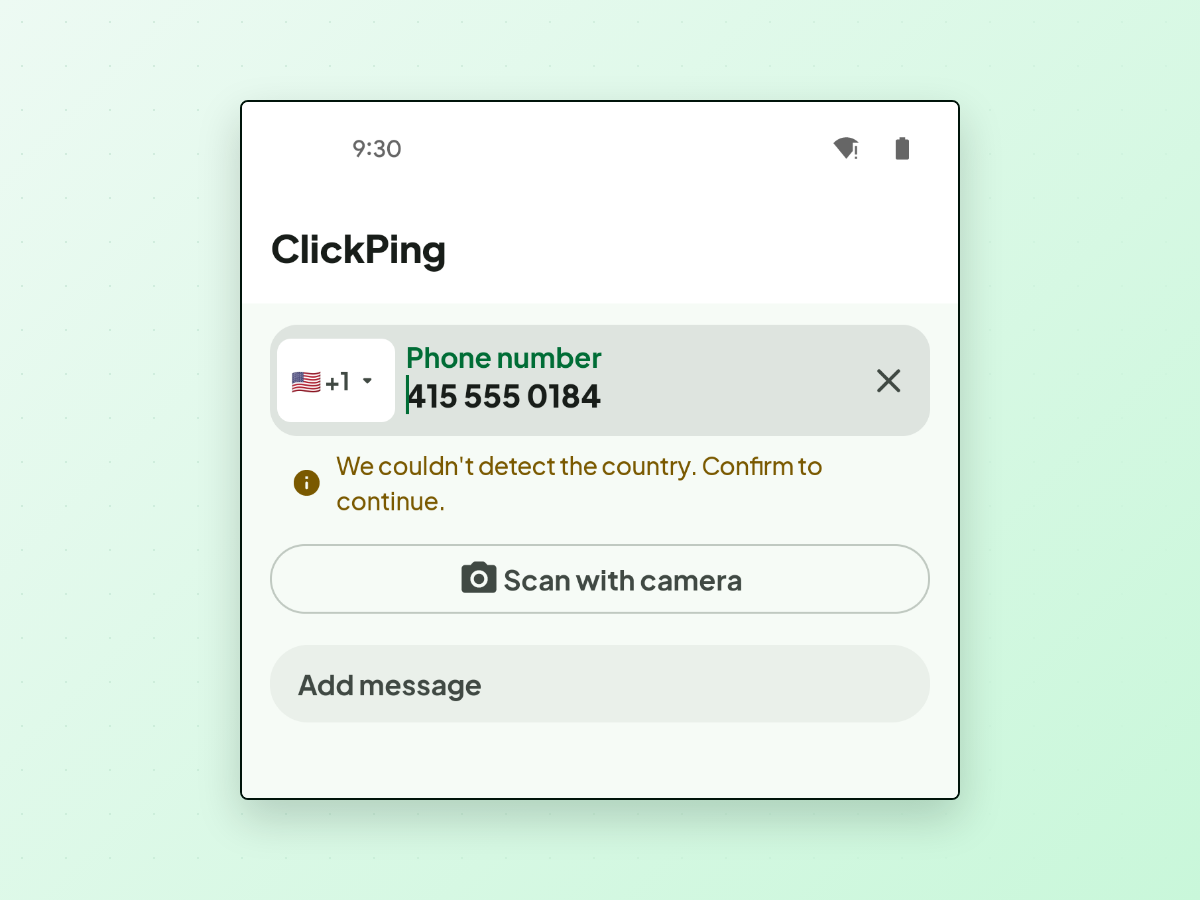
Use a tool built for it. ClickPing is one option: you paste, type, or scan the number with your camera, and it handles the common real-world formatting — the punctuation, the leading zero, the missing country code — rather than making you do it. When the country code is ambiguous it asks you to confirm instead of guessing, and camera results are shown to you for confirmation before anything opens. It opens the conversation in WhatsApp with your message ready to review; it never sends anything on your behalf. Android and iPhone.
One thing no tool changes, and it's worth being clear about: messaging someone without saving them isn't anonymity. They see your number, your profile photo (visible to everyone by default), and your online status either way. What you avoid is a contact list slowly filling with one-time numbers that then sync onward to Google or iCloud. That's the honest benefit — a tidy address book, not invisibility.
The short version
- Strip everything that isn't a digit — no
+, spaces, dashes, or brackets. - Drop the leading
0from the local number. - Put the country code in front, always.
- Mexico needs a
1after+52; Argentina needs a9after+54. - If it still fails, the number probably has no WhatsApp account — which is a different message, and not your link's fault.
If you regularly get handed numbers you don't want to keep, ClickPing is built for exactly this on Android and iPhone.