
Will They Know You Didn't Save Their Number?
WhatsApp never tells anyone whether you've saved them — there's no indicator, badge, or notification. But not saving someone isn't the same as being invisible to them. Here's exactly what they can see.
Published August 11, 2026
Someone gives you a number. A seller from a listing, a landlord, a person replying to an ad. You want to send one message — you don't want them living in your contacts afterwards.
Then the hesitation: if I don't save them, will they be able to tell?
The short answer
No. WhatsApp does not tell anyone whether you have saved their number. There's no badge, no notification, no "not in contacts" label, no difference in how your message arrives.
But "they can't tell" and "they can't see me" are two different statements, and the gap between them is where people get caught out. Not saving someone is not anonymity. It changes less than most people assume — and what it does change is worth knowing precisely.
What they actually see when your message arrives
Whether or not you've saved them, a person receiving your first message sees:
| What they see | Depends on you saving them? |
|---|---|
| Your phone number, in full | No — always visible |
| Your message | No |
| Your profile photo | Only if your setting is address-book-based |
| Your About text | Only if your setting is address-book-based |
| Your name | Generally only if they have saved you — see below |
Those middle two rows are where the confusion lives. Your photo and About aren't gated by your address book directly — they're gated by a Privacy setting, and that setting may or may not point at your address book. Set to My Contacts (or My Contacts Except…), only people you've saved can see them. Set to Everyone, saving has nothing to do with it and a stranger sees them either way.
The profile photo is the one that surprises people. Don't assume yours is restricted; if it's on Everyone, it's visible to people who aren't in your contacts, and it can appear in the notification on their lock screen before they've even opened the chat. Plenty of people who are careful about not saving strangers have never checked which way theirs is set.
The name row is close to absolute but not quite: in group chats, WhatsApp
shows your profile name as ~Name to members who haven't saved you.
What saving them would have changed
Here is the honest, narrow difference — and it's genuinely worth something:
Saving someone can add them to your Status audience — and to your About, if that's set to My Contacts. Status can't be shared with Everyone; it goes to your contacts. So a stranger you save to send one message may quietly gain a standing view of your Status posts, and keep it until you remove them. That's the real complaint behind most posts on this topic — not clutter, but a stranger promoted into your circle by an administrative side effect.
Two qualifications, because this is the claim everything else rests on. Status privacy has two exclusion modes, and they behave in opposite ways. Under Only share with… you're picking an allow-list, so a newly saved contact isn't in it unless you add them. Under My contacts except… they are added automatically, because that list means everyone you've saved minus the names you excluded — and that's the more common of the two. Second, About only follows your address book when it's set to My Contacts; on Everyone they could see it regardless.
Not saving them avoids the exposure in the first place, which is cleaner than managing it afterwards. That's the whole benefit, stated accurately.
The second benefit is duller but adds up: your address book doesn't slowly fill with one-time numbers that then sync onward to Google or iCloud, get suggested back to you for months, and turn up in every app you ever grant contacts access.
Four things people get this wrong about
These come up constantly, and all four are wrong in ways that matter.
1. "My Contacts" means people who have saved me. It doesn't. Every WhatsApp privacy setting reading "My Contacts" means people you have saved in your phone. It's your address book, not theirs. Users assume the relationship is mutual; it isn't, in either direction.
2. "I can see their About, so they must have saved me." Only sometimes — and you can't tell which. You can see it because their About setting permits it. If theirs is on My Contacts, then yes, you're in their address book. If theirs is on Everyone, seeing it tells you nothing at all. Since you can't see which setting they chose, the observation isn't evidence either way. Forum threads confidently answer this in both directions; both are overstating it.
3. "My profile photo is hidden from people who haven't saved me." Only if it's set to My Contacts. It has historically defaulted to Everyone, but don't take anyone's word for that, including mine — defaults shift by region and version. Open the setting and look. It takes ten seconds and it's the single most consequential thing on this page.
4. "I'll save them, send the message, then delete the contact." This is the most popular workaround and it doesn't roll back what you think it does. WhatsApp says that if your Last seen and online is set to Everyone, the people who can actually see it are those you've called or messaged before, or who have you saved. Messaging someone puts them in that group by itself. Deleting them from your contacts afterwards changes nothing, because saving them was never what triggered it.
Removing them does close off future Status posts, and About too if yours is set to My Contacts. What it can't do is un-show anything they already saw while they were saved. It also does nothing about the last-seen exposure above.
Can you tell if someone has saved your number?
This is the same anxiety pointed the other way, and it's the question that sends most people looking.
There's no clean way to check. The widely-repeated method is to put the person in a broadcast list and send something, on the theory that only people who have your number saved will receive it. That mechanism is real — WhatsApp documents that broadcast messages reach recipients only if they have your number in their address book.
It's still a poor test:
- It sends a real message to a real person to satisfy your curiosity.
- Non-delivery has other explanations — they blocked you, they changed numbers, they haven't opened WhatsApp in weeks.
- It tells you nothing about when they saved or removed you.
The honest position is that WhatsApp deliberately doesn't expose this, in either direction. That cuts both ways, and it's the same protection working for you.
If you want to be less visible, change these settings
This is the part that actually helps, and it has nothing to do with your contacts. On both Android and iPhone, open Settings → Privacy (the labels shift slightly between versions) and look at four things:
- Profile photo. Set it to My Contacts if you don't want unsaved numbers — or strangers you message — seeing your face. This is the big one.
- About. Same treatment. It's often a name, a job, or a location.
- Last seen and online. These are two separate controls, and people close only the first. After setting Last seen to Nobody, check Who can see when I'm online: if it's on Same as last seen it follows along, but if it's on Everyone you're still visible the moment you open the app. Note that hiding your last seen also hides other people's from you.
- Read receipts. Turning these off is mutual — you stop sending blue ticks and stop seeing them. Two exceptions: read receipts are always sent in group chats regardless of this setting, and so are playback receipts for voice messages.
Do this once and it applies to every conversation you'll ever have, saved or not. It's a far bigger privacy improvement than any decision about a single contact.
How to message someone without saving them
WhatsApp supports this directly — it isn't a loophole. A few ways:
A click-to-chat link. Type https://wa.me/ followed by the number in
international format — digits only, no +, no spaces, no leading zero. Open it
and WhatsApp offers you the chat. This is WhatsApp's own documented feature, and
it works everywhere. The catch is the formatting: get it slightly wrong and you
get a "Phone number shared via url is invalid" error that's easy to misdiagnose.
If you hit that, we've written up exactly what causes
it.
Search inside WhatsApp. Recent mobile builds let you paste a number into the
app's search field and start a chat from the result. It's handy when it's there,
but WhatsApp doesn't document it and it doesn't appear on every version — treat
it as a bonus, not a plan, and keep wa.me as the fallback.
Save, message, delete. Works everywhere, needs nothing. Just remember from above that it doesn't undo the last-seen exposure, and the number syncs to Google or iCloud in the meantime.
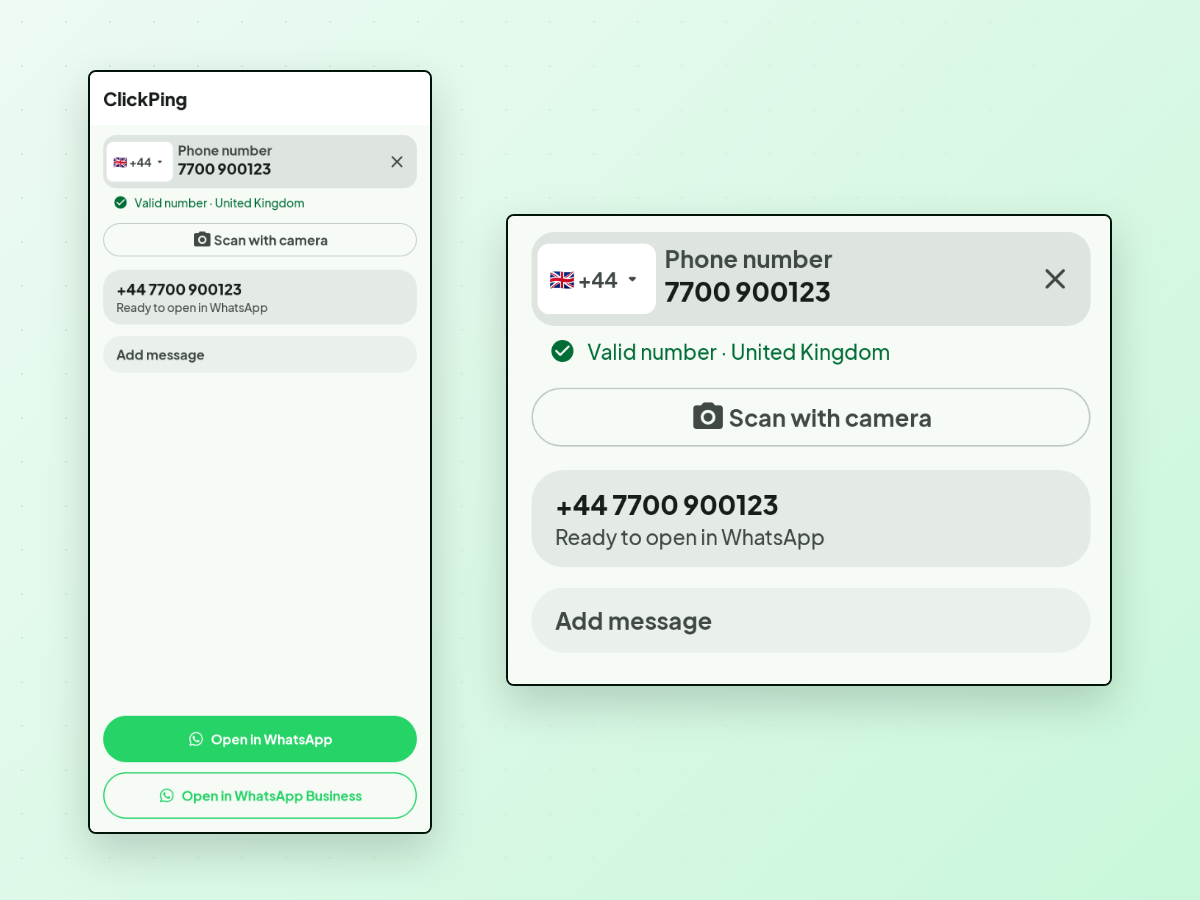
A tool built for it. ClickPing is one option: you paste, type, or scan the number with your camera, and it handles the common real-world formatting — the punctuation, the leading zero, the missing country code — instead of making you do it by hand. When the country code is ambiguous it asks you to confirm rather than guessing, and camera results are shown to you for confirmation before anything opens. It opens the conversation in WhatsApp with your message ready to review; it never sends anything on your behalf. Android and iPhone.
The short version
- No, they can't tell whether you saved them. WhatsApp shows no indicator.
- They see your number and your message always. Your photo and About depend on your privacy setting — hidden from unsaved numbers only if you've set them to My Contacts.
- The real difference saving makes: it can put them in your Status audience, and your About audience if that's set to My Contacts. Not saving avoids that.
- Saving then deleting closes off future Status posts, but it can't un-show what they already saw, and it doesn't undo the last-seen exposure — messaging them was the trigger, not saving them.
- If privacy is the actual goal, fix your Settings → Privacy once. That does far more than any single decision about one contact.
If you regularly get handed numbers you'd rather not keep, ClickPing is built for exactly that, on Android and iPhone.